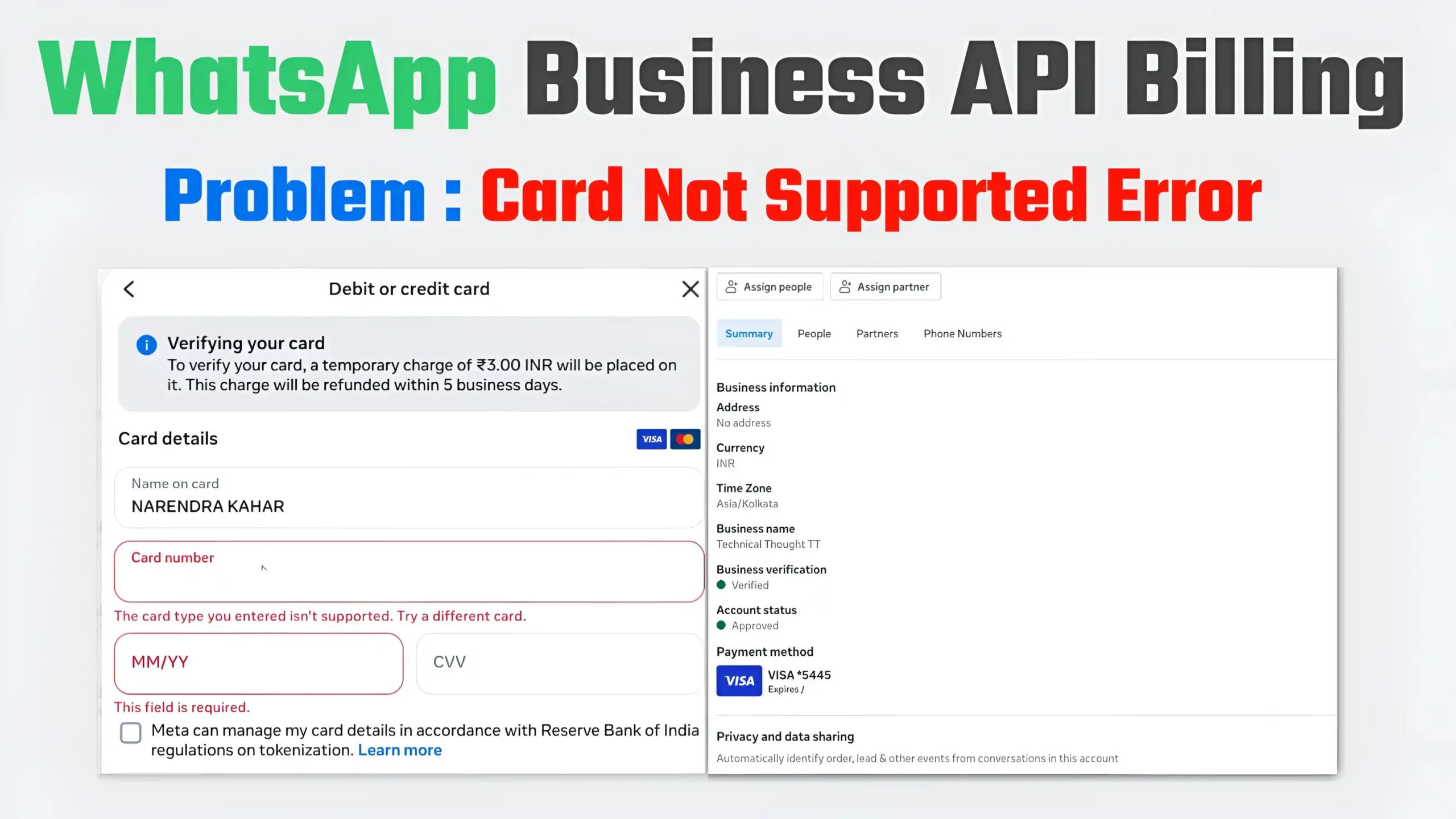
Currently, WhatsApp Business API is growing very rapidly in India. Businesses are using WhatsApp for marketing, notifications, OTPs, order updates, and customer support. However, many users, agencies, and Tech Partners are facing a common and frustrating issue:
“The card type you entered isn’t supported”
Error Code: 141006 – Payment Method Error
This problem occurs when a debit card is not added during the billing setup for a WhatsApp Business account (WABA), even if the card is fully ready.
In this article, we will understand in detail:
- Why does this problem occur?
- Why does Meta reject payments even when a debit card is available?
- Why is this issue more common among Tech Partners’ clients?
- What is the real and permanent solution?
- How can we avoid this in the future?
What is WhatsApp Business API billing?
Billing is mandatory for sending messages using the WhatsApp Business API. Meta (Facebook) charges for WhatsApp messages using a conversation-based billing model.
What does it mean:
- A charge applies to every business-initiated conversation.
- Billing is not possible without an active payment method.
- If payment fails → WABA BLOCKED
What is error code 141006
Error code: 141006 means:
Meta did not accept your payment method.
After this error:
- Business-initiated messages are being blocked.
- Messages are not being sent despite WhatsApp API being connected.
- The overall health status in the dashboard shows “Blocked”.
This is not a policy violation error; it’s simply a billing-related issue.
My debit card is ready, but why is it still being rejected?
This is a very common question, and the answer isn’t just one, but rather multiple technical reasons.
1. WhatsApp Billing = Recurring / Merchant Payment
Meta treats WhatsApp billing as recurring merchant billing.
In India:
- Debit cards are unreliable for recurring payments.
- Many banks reject the transactions from their backend.
- The user thinks the card is ready, but Meta doesn’t receive approval.
2. RBI Tokenization Rules (Biggest Reason)
Following the new RBI rules:
- Card tokenization is mandatory.
- Not all international merchants support tokenization.
- Many Indian debit cards fail in Meta’s tokenization flow.
Because of this, Meta displays a generic error:
“Card type isn’t supported”
3. ₹3 / $1 verification charge fails.
When Meta adds a card, it:
- Charges a temporary fee of ₹3 or $1.
- Debit card banks block this pre-authorization.
- The charge fails → the card is rejected.
The user thinks, “I have enough balance,” but the transaction wasn’t even allowed on the backend.
4. Tech Partner Debit Card = High Risk
If you are a Tech Partner/Agency and:
- You are trying to use the same debit card for billing across multiple clients’ WABA accounts,
Meta’s fraud system considers this:
- Suspicious activity
- And silently blocks the card globally.
This is why many of your clients are experiencing the same error.
5. India-Specific Restriction of Meta
Officially, Meta never states this clearly, but the reality is:
- In India, debit cards are not reliable for WhatsApp billing.
- Meta prefers credit cards.
That’s why debit cards get rejected even though they are technically valid.
Why does this issue occur more frequently when you have a tech partner?
If you are a WhatsApp Tech Partner:
- You handle multiple clients.
- You assist with billing setup.
- The same card is tried on multiple WABAs (WhatsApp Business Accounts).
Meta’s system:
- Meta’s system is not designed for Tech Partners to use their cards for billing.
- The billing responsibility lies with the client.
Therefore, billing rarely succeeds when using a Tech Partner’s card.
What kind of help does Meta Support provide?
This is a harsh truth, but it’s the reality:
- ❌ Meta will not manually approve your debit card.
- ❌ Meta will not force-approve a Meta Tech Partner’s card.
- ❌ Meta will not change the billing rules.
Meta support will simply say:
“Please ask the client to add a valid credit card to their Business Manager.”
Final & Working Solution (Tested)
For WhatsApp Business API billing in India:
- Visa/MasterCard CREDIT CARD
- Using the client’s own Business Manager
- International transactions must be enabled
This method:
- Works in 90–95% of cases
- Billing is verified
- The WABA account is unblocked (within minutes to 24 hours)
Why should you avoid debit cards, RuPay cards, and virtual cards?
| Card Type | Result |
|---|---|
| Debit Card | ❌ Mostly Rejected |
| RuPay Card | ❌ Not Supported |
| Virtual / Prepaid Card | ❌ Blocked |
| Credit Card | ✅ Works |
How to explain this to the client? (Important)
If you are a Tech Partner, it’s crucial to clearly inform the client:
“WhatsApp Business API billing, according to Meta policy, is only processed via credit card. Debit cards are not accepted in India.”
This will:
- Maintain client trust
- Reduce support tickets
- Make you appear more professional
How can we avoid this problem in the future?
Best Practices for Tech Partners
- Inform them during onboarding: Credit card required
- Do not attempt debit card billing
- Add billing information to the client’s Business Manager
- Avoid using one card for multiple clients
- Start sending production messages only after billing is activated
Conclusion
If you or your clients are facing WhatsApp Business API billing issues and receiving the error:
“The card type you entered isn’t supported”
The problem isn’t with your card, but rather with the combination of debit cards and the Meta billing system in India.
- One-line solution:
Forget about debit cards, use a credit card instead.
This will:
- Save you time
- Ensure your business runs smoothly
- Keep your clients satisfied
FAQs (SEO Friendly)
Q1. Will a debit card ever work?
It might in rare cases, but almost never in India.
Q2. Can Meta manually unblock the account?
No, not until the billing information is valid.
Q3. Can a Tech Partner use their own card?
It’s not officially allowed, and it practically fails.
Q4. How long does it take for the account to be unblocked after adding billing information?
Usually within minutes, maximum 24 hours.